Real analytics for
any Instagram profile
Viralytics overlays real analytics on any public Instagram profile — engagement rate, best time to post, top content, bulk download — instantly. Built for creators, social media managers, brands, and content researchers.
Free to install · No login required · Set up in seconds
Instagram analytics built for creators and social media managers
Open any public profile and see the numbers that actually matter — for competitor research, creator vetting, or your own content strategy.
Real analytics, right on the profile
An overlay appears the moment you open any public Instagram profile — engagement rate, average views, top posts, all without leaving the page.
Best Time to Post
A day × hour engagement heatmap shows exactly when your content performs best. See your top 3 posting windows ranked by average views or likes.
Bulk download Reels & Posts
Download multiple Reels and Posts in one click — free for all users. Filter first, then grab exactly what you want. Export to CSV for deeper reporting.
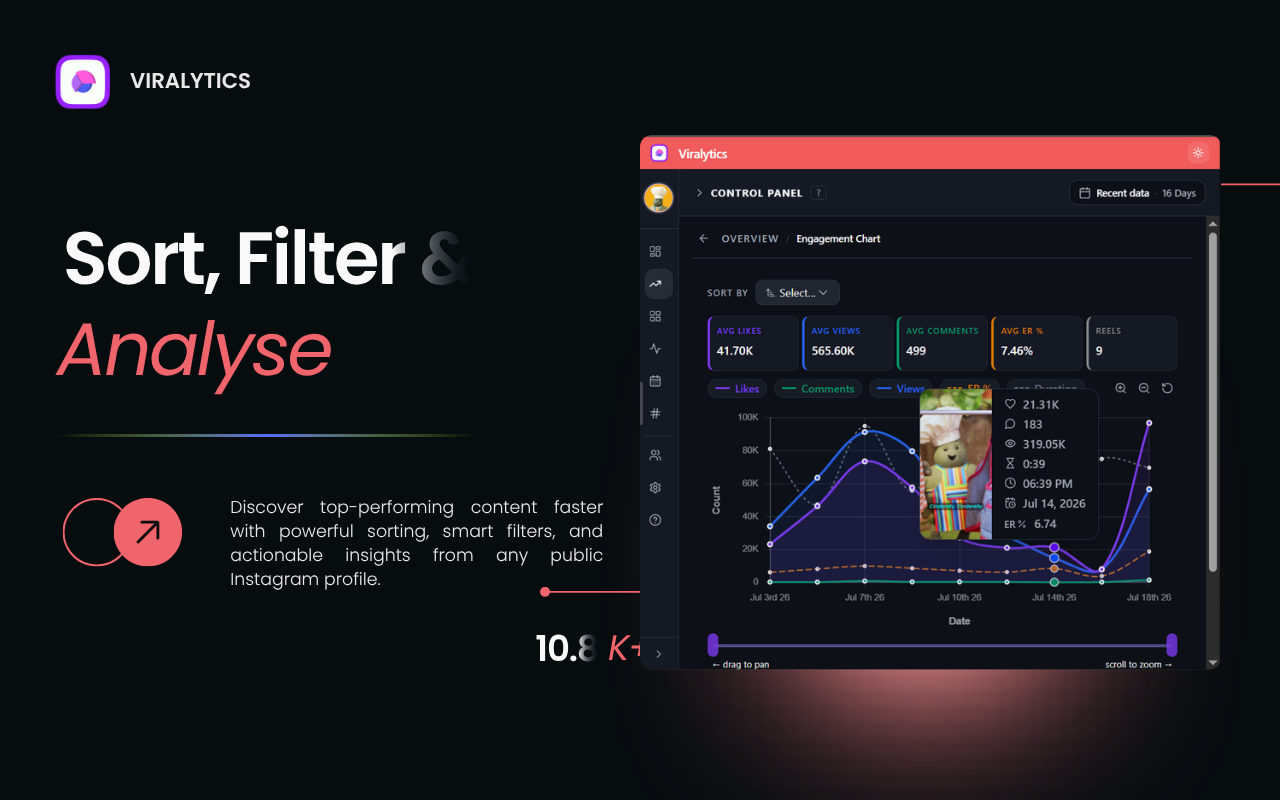
Sort & filter by any metric
Organize content by views, likes, comments, engagement rate, or date. Scan the last 90 days on the free plan, or your full history on Pro.
Spot outlier Reels instantly
Every Reel is tagged against the creator's typical views — Mega viral, Viral, Smash hit, Breakout, down to Low reach — on the Instagram grid and in the panel, so you see which hooks and formats actually went viral.
Comment Quality check
Open any post or Reel and check if its comments look real: copy-paste waves, emoji-only spam, promo bots, repeat commenters and the languages the audience writes in. Runs only when you click, one post at a time.
Reel transcripts
Read what's said in any Reel, with the opening hook pulled out. Copy it or download TXT / SRT. No captions? Pro transcribes it with AI, privately on your computer.
Creator vetting report
One-click PDF report: median vs. average views, IQR, consistency, success score and top Reels — with a plain-English guide to every statistic, ready to send to a client.
Hashtag performance
See which hashtags a creator uses most and which ones pulled the most views, so you can reuse the tags that actually drive reach.
Save & compare creators
Save any profile and compare creators side by side — engagement rate, posting frequency, and the hashtags only one of them uses.
Works on any public profile
Creators, brands, competitors — if it's public, Viralytics shows you the numbers. Research collaborators, benchmark competitors, build smarter strategies.
No login required
We never ask for your Instagram credentials. The extension reads publicly available data through Instagram's own API, nothing more.
See it in action
A closer look at the overlay, the analytics it surfaces, and the export tools.
“Honestly wasn't expecting much from a chrome extension but this actually gives solid insight into which reels are underperforming and why. Free version is generous, paid tier is worth it if you're posting daily.”
Saurabh Karan
“This tool is amazing. Been using it for 2 years and its never failed. Plus Gagan responds very quickly with feature requests which is AWESOME because it helps our agency move faster.”
Natalie Contreraz
“Viralytics is an amazing extension for analyzing bloggers — I use it almost every single day, and it saves me a ton of time. I also want to highlight the excellent support: Gagan responds quickly to questions and promptly fixes any bugs.”
Denis Lókostov
“Perfect tool for content creators and digital marketers.”
Charbel Abou Sawan
Pricing & Plans
Start free. Upgrade when you need more — no confusing tiers.
Analytics
- Last 90 days of any profile
- Engagement rate & analytics overview
- Viral tags on Reels & the profile grid
- Comment Quality check
- Best Time to Post heatmap
Download & export
- Bulk download of scanned reels
- CSV / Excel export (up to 20 Reels)
Analytics
- Full history — 6 months, 1 year, all-time & custom range
- Viral tags on every Reel
- AI transcripts for Reels without captions
- Best Time to Post — full history analysis
Download & export
- Bulk download across your full history
- Unlimited CSV / Excel exports
- Full profile export to Excel
Support
- Priority support